How-to guides & procedures
Turn unread manuals into videos anyone can follow.
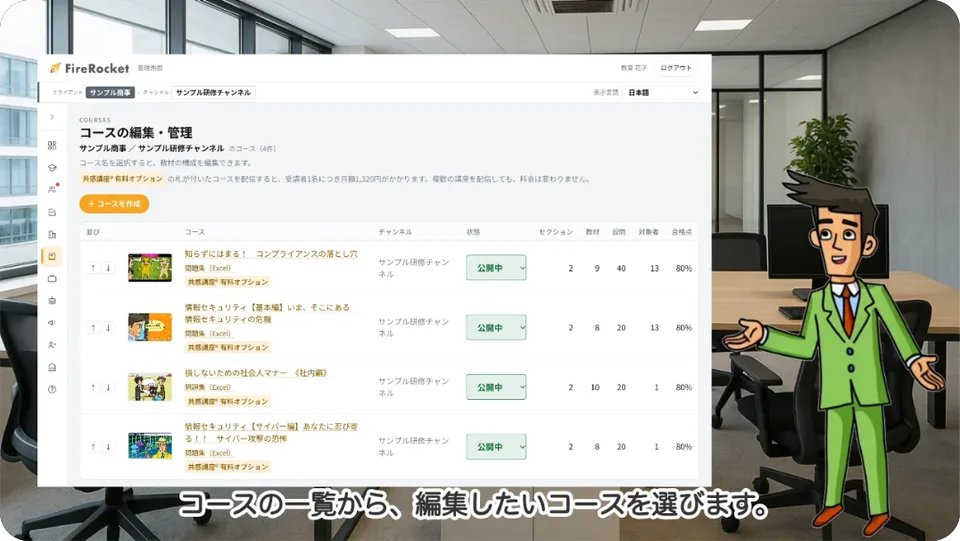
Turn operating manuals and procedure guides built from screenshots into how-to videos with narration and subtitles. Key points are highlighted so viewers can follow each step with their eyes.
The Free plan starts with just a sign-up (documents up to 10 pages, videos up to 3 minutes, subtitles and translation in Japanese and English).
Sound familiar?
- Nobody reads the manual, so the same questions keep coming back
- On-screen steps are hard to explain in text alone
- Rebuilding manual videos every time the system's screens change is a burden
With mind2D.ai
Your procedure deck becomes a video
Import slides or PDFs with screenshots, and each step is narrated in turn.
Highlight what matters
The spot being read aloud lights up automatically. You can also choose which areas to highlight by hand.
Headings for every chapter
Show the title and chapter heading (corner caption) in the top left, so viewers always know which step they're on.
Screen changed? Just swap the slides
Keep the script and voice as they are, swap in slides with the new screenshots, and export again.
Just 3 steps
- STEP 1
Upload your manual
Add a PowerPoint or PDF with your screenshots in it.
- STEP 2
Check the script and highlights
Review the step-by-step narration and the spots that light up.
- STEP 3
Export the video
Export as MP4 and post it on your help pages or share it internally.
Frequently asked questions
Can I make one without screen recording?
Yes. We turn a document with screenshots into a step-by-step explainer video. You can also upload a screen recording (MP4) and add subtitles to it.
What if the system's screens change?
Use slide replacement to move to the new screens while keeping the script, voice, and subtitles (when the page count is the same).
Can I use it for customer-facing how-to guides?
Yes. Publish them on your site or YouTube as how-to videos for your products and services.
Can I make manual videos in other languages?
You can translate the script and subtitles into 12 languages and produce a video narrated by a voice in that language.