
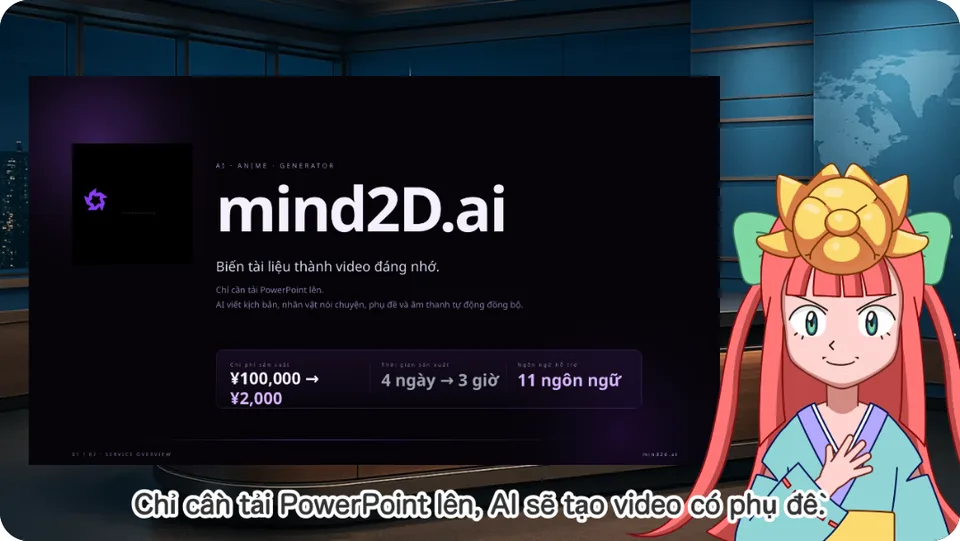
Just upload yourPowerPoint or PDF slides,
and AI creates anarrated animatedvideo automatically!
Character-free mode ·Subtitles included ·Pick your voice!11 languages supported!
- As fast as 5 min
- From uploading your file to a finished video
- 90% less
- Production work saved — no filming, editing or voice recording
- 11 languages
- For on-screen subtitles and scripts
Our customers

Also adopted by AIRMAN Inc. and The Yamagata Bank.
What is mind2D.ai?
An AI video generation service that turns your slides into videos with voice and subtitles
mind2D.ai is an AI video generation service that turns PowerPoint and PDF slides into narrated animated videos. The AI writes a script from your slide content and presenter notes. Review and edit it, then export a video with voice, subtitles, and a character.
Scripts written by AI can be reviewed for technical terms, figures, and content before you publish. It reduces the burden of filming, recording narration, and editing video, so your in-house documents can be put to work as video training material.
From slides that tell to video that lands.
mind2D.ai turns PowerPoint, PDF and other slide decks into animated video — all you do is upload. A virtual navigator (an AI character) walks through the content and presents it clearly on your behalf.
- 1
On-screen subtitles
Every spoken line appears as a subtitle in the video, so your message lands even where sound can't be played. Edit subtitles sentence by sentence.
- 2
11 languages supported
日本語 / English / 繁體中文 / 简体中文 / ไทย / Tiếng Việt / Bahasa Melayu / Bahasa Indonesia / Français / Español / Português. Just pick a language for both the script and the subtitles — ideal for training international staff.
- 3
Hide the character whenever you like
Show or hide the character sentence by sentence. While it's hidden, the slide fills the screen so detailed diagrams and tables stay easy to read.
Upload a PDF, get an animated video.
- 01
Upload your file
Just drop in a PowerPoint (.pptx) or PDF. PowerPoint animations are imported as separate pages, in the order they appear.
- 02
AI writes the script
The AI reads your slides and presenter notes, pulls out the key points and writes the lines. You can edit any sentence afterwards.
- 03
Your character presents it
Choose a character and background, and your animated video with voice and subtitles is ready. Download it and publish as is.
Choose your navigator
13 characters to choose from. Show or hide them sentence by sentence.
 ikoma
ikoma ねこ
ねこ まもる
まもる ゆりティ
ゆりティ スモールG
スモールG スーツ女性
スーツ女性 スーツ男性
スーツ男性 ビッグG
ビッグG フクロウ
フクロウ 女将さん
女将さん 守先生
守先生 探偵さん
探偵さん エコマ
エコマ
What makes mind2D.ai different
All you do is upload your file
Slides, audio and the character are synced automatically. The generated audio comes with text you can edit at any time.
AI writes the whole script
It understands your slides, sums up the key points and writes lines for every page — even handling scene changes and subtitle timing for you.
13 characters, 30 voices
Pick the character and background that fit your purpose. Each character comes with a matching voice, and you can swap it for any voice you like.
Highlights the line being read
As the narration reads a sentence, the matching text on the slide is automatically highlighted — so viewers always know where you are.
No video editing needed
Make it once and publish it as is. Even with no extra editing, you get a video that works as real training material.
Never used to train AI
The files you upload and the scripts you create are not used to train AI (opt-out).
Go beyond “understood” to “remembered.” Information that gets lost in text-heavy slides and dull explainer videos lands with impact, thanks to animated motion and AI-built storytelling.
For training, manuals, and product explainer videos
Employee training videos
Turn onboarding and company policy slides into videos and share the explanations you'd otherwise repeat.
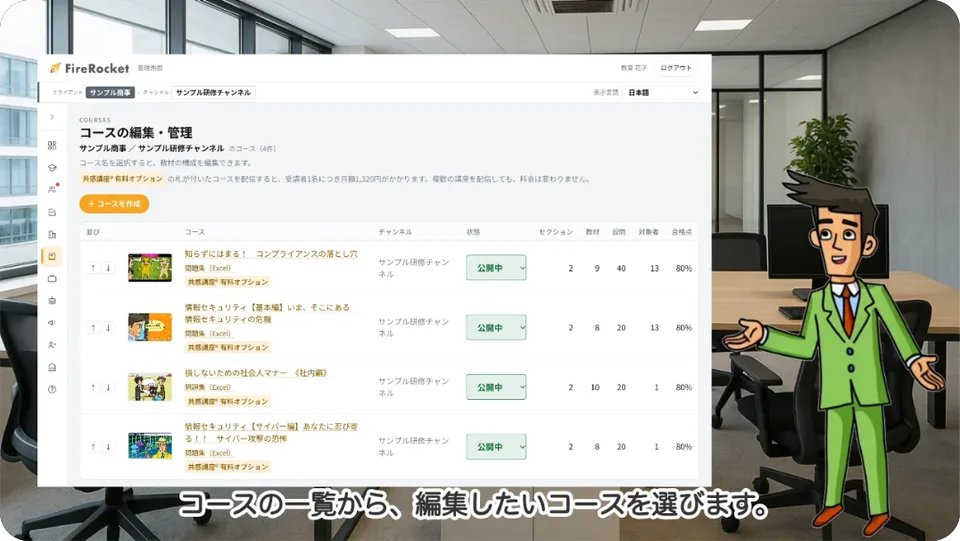
How-to manual videos
Turn screen walkthroughs and step-by-step documents into videos with voice and subtitles.
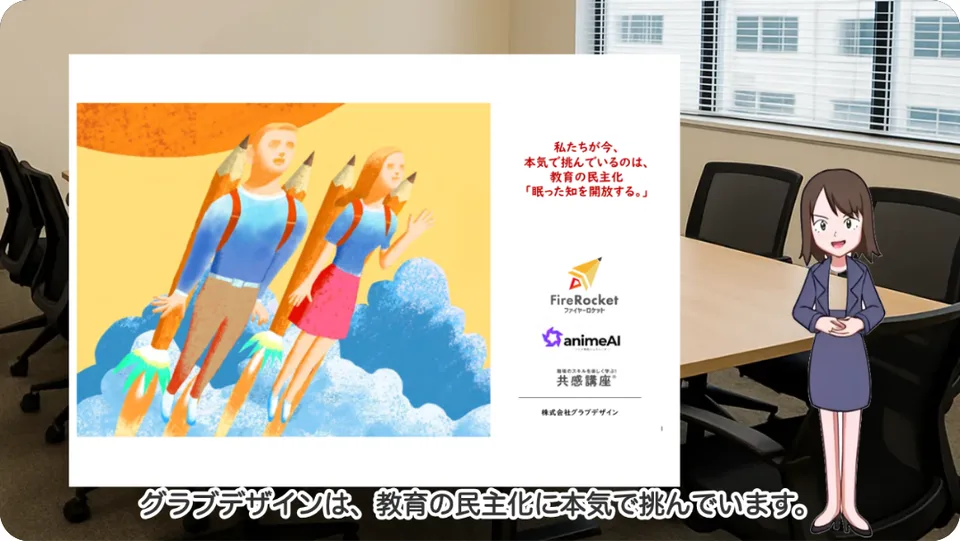
Product & service explainers
Turn pitch decks and product slides into videos for sales and customer guidance.
E-learning materials
Use your training and classroom slides as video material. Contact us about delivery via FireRocket.
Multilingual explainer videos
Make use of 11-language support for scripts and subtitles. Please review the translations before publishing.
Ways to use it
- YouTube videos
- Product and service promo videos
- How-to manual videos (just list the steps as bullets)
- Internal news videos
- Employee training videos
- Class videos for schools and cram schools
- e-learning content (delivered via the LMS “FireRocket”)
*Use for antisocial or unethical content, pornography and the like is prohibited.
Pricing
Free
Free
3 credits/month
Creator
$25.99/month (excl. tax)
Billed yearly ($343.07/year incl. tax) · Monthly billing is $28.99/month (excl. tax; $31.89 incl. tax)
25 credits/month
ProMost popular
$61.99/month (excl. tax)
Billed yearly ($818.27/year incl. tax) · Monthly billing is $67.99/month (excl. tax; $74.79 incl. tax)
100 credits/month
Business
$159.99/month (excl. tax)
Billed yearly ($2,111.87/year incl. tax) · Monthly billing is $173.99/month (excl. tax; $191.39 incl. tax)
250 credits/month
FAQ about AI video generation and explainer videos
Q. What is mind2D.ai?
Just upload a PowerPoint or PDF, and AI automatically builds a narrated animated video. No video production expertise required — you can create a clear, engaging video in no time.
Q. Can I make training videos from PowerPoint or PDF?
Yes. Upload PowerPoint (.pptx) or PDF slides to create a video. It works for employee training, how-to manuals, product explainers, classroom materials, and more.
Q. Can I edit the AI-generated narration and subtitles?
Yes. The generated script can be edited sentence by sentence. Check technical terms, proper nouns, and figures, make any edits you need, and then export the video. To apply changes to the video, export it again.
Q. How long does it take to make a video?
It depends on your slides, but you can create a video in as fast as 5 minutes.
Q. How much production work can I save?
Compared with a conventional video production workflow, you can cut production work by about 90%, because there's no filming, editing, or narration recording.
Q. Do you support subtitles and other languages?
Yes. You can burn subtitles into the video. Scripts and subtitles support 11 languages: 日本語 / English / 繁體中文 / 简体中文 / ไทย / Tiếng Việt / Bahasa Melayu / Bahasa Indonesia / Français / Español / Português.
Q. Can I show only the slides, without the character?
Yes. You can show or hide the character sentence by sentence. While it's hidden, the slide is displayed larger.
Q. Is there a free plan?
The Free plan is free of charge (with monthly credits). Documents are limited to 10 pages, video exports (saving/downloading) to 1, and a watermark is included.
Q. Are uploaded documents used to train AI?
No. The AI that writes scripts is strictly paid AI under contracts that prohibit use for training.
Q. What payment methods do you accept?
Credit card (monthly or annual billing). For corporate invoice payment and Enterprise, please contact us.
Q. Can I use the videos as e-learning material?
Yes. You can download the videos and use them for training or classes. For delivery via the LMS "FireRocket", please contact us. Please check the content of your materials and the rights to any assets you use before publishing or distributing.
Start free — make your first video.
mind2D.ai is an AI animation generator developed for its initial Ver1 in collaboration with GRAB DESIGN INC., a creative studio specializing in web content and animation, and a venture founded out of the University of Tokyo Faculty of Engineering (patent pending).
Try it free