
For healthcare, pharma and hospitals
Hospital guides.
Training. Presentations.
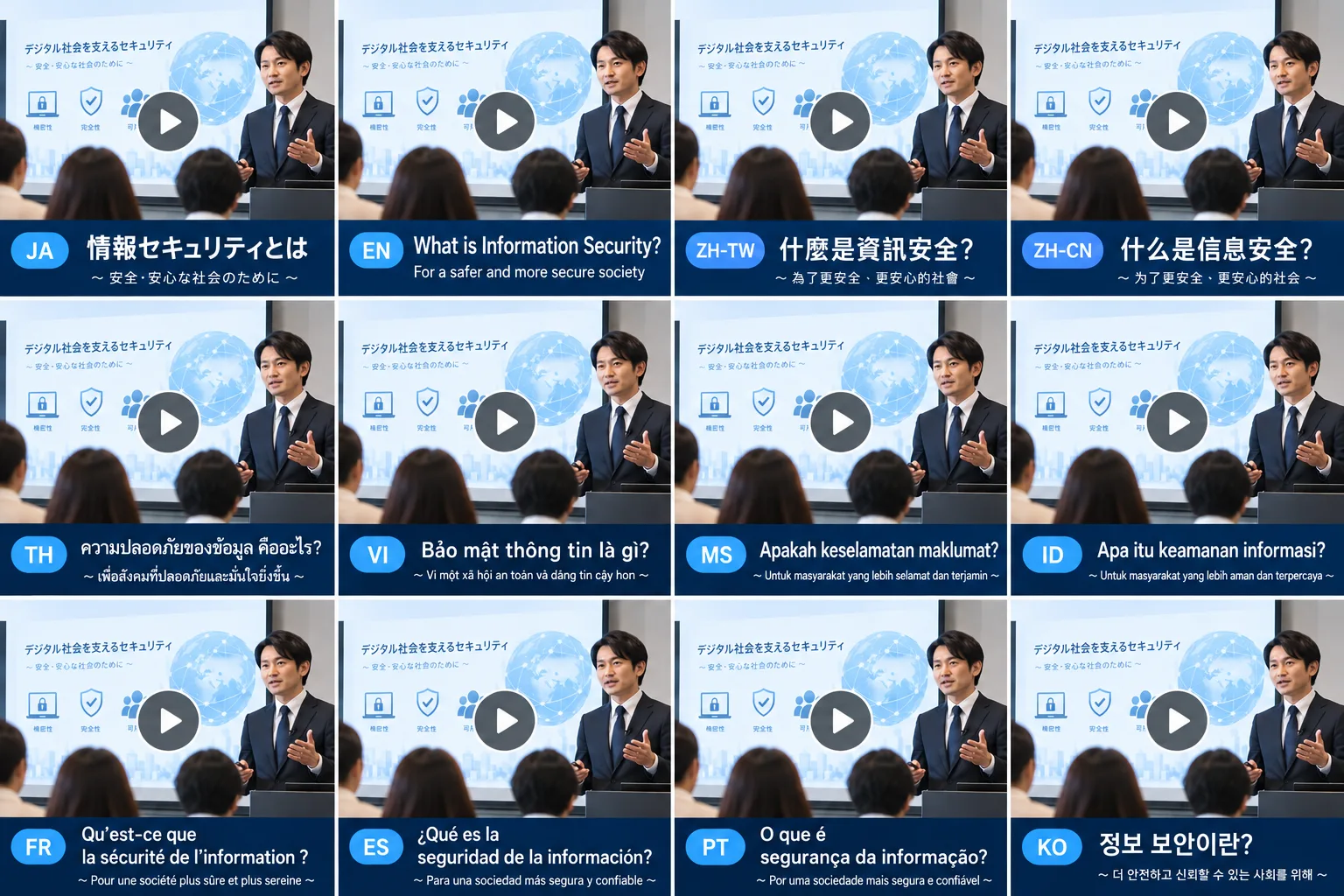
Videos in 11 languages.
Just upload the PowerPoint or PDF you already use. We translate not only the narration and subtitles but the text inside your slides, and build explainer videos for hospital guides, patient explanations, in-house training and presentations.
- PowerPoint and PDF supported
- Subtitles and voice generated automatically
- In-slide text translated too

11languages
Voice, subtitles and in-slide text translated
Image for illustration purposes
MULTILINGUAL
One PowerPoint in,
explainer videos in four languages out.
Made your explainer video in Japanese? mind2D.ai's translation takes it straight into other languages. Narration, subtitles, on-screen captions, even the text inside your slides — the whole video speaks that language. Pick a language, or just watch it switch on its own.
In as little as 20 minutes
From uploading your slides to four finished videos in Japanese, English, Vietnamese and Portuguese
- Upload your Japanese slides
- A Japanese explainer video
- English, Vietnamese and Portuguese versions
A sample we created with mind2D.ai. The translations are raw AI output (in practice, you can edit the script by hand before exporting).
Slides and lecture videos, created automatically.
Subtitling and slide-video syncing happen automatically. We use the wording in your materials as a guide to reduce mishearing.
Lecture videos, too
Subtitles and multilingual dubs for your lectures
created automatically, in no time.
- Ready for product explainersProduct overviews and how-to guides
- For presentationsConferences, product talks, and in-hospital briefings
- For trainingMedical safety, infection control, and new-hire training
- For hospital guidesOutpatient, inpatient, exam, and facility guidance
MADE WITH mind2D.ai
See a real medical explainer video.
A video explaining the hospital visits, medication, infection prevention and interprofessional collaboration needed for patients with infectious diseases to continue care in their community. We made this sample with mind2D.ai, turning a PowerPoint file into a video with narration and subtitles.
Sample: Nursing care supporting home treatment for patients with infectious diseases
English and Korean versions from the same file
The script, subtitles and in-slide text are exactly as the AI generated them.
English
Korean
USE CASES
Different audiences,
one set of slides.
Patients, international staff, healthcare professionals, partners. From the same file, create explainer videos in the languages each purpose calls for.
01 / HOSPITAL GUIDE
Hospital and facility guides
Turn first-visit reception, admission guides, pre-test explanations and how to use in-hospital facilities into clear videos.
02 / PATIENT
Explanations for patients
Treatment, medication and life after discharge, delivered as videos with subtitles and voice that patients can review as often as they need.
03 / TRAINING
In-house training and procedures
Patient safety, infection control, new-staff orientation and equipment operation, delivered at a consistent quality.
04 / PRESENTATION
Presentations and product briefings
Turn conference talks, pharmaceutical and medical device product briefings and internal presentations into multilingual explainer videos.
TRANSLATION
Not just the subtitles.
The text inside your slides, too.
From your Japanese file, we take the narration, the subtitles and even the headings and body text inside the slides into multiple languages. No more rebuilding a separate deck for every language.
- Narration translated and voiced automatically
- Video subtitles created in each language
- Text inside the slides translated too
- Exported as a separate video per language
In-slide text can be translated for PowerPoint files (.pptx, up to 50 slides). For PDF files, we translate the narration and subtitles.
Translation example (text inside a slide)
外来受診のご案内
初めて受診される方へ
正面玄関を入って右手の「初診受付」へお越しください。
Available languages
- English
- 繁體中文
- 简体中文
- ไทย
- Tiếng Việt
- Bahasa Melayu
- Bahasa Indonesia
- Français
- Español
- Português
- 한국어
HOW IT WORKS
From slides to video in 3 steps.
No filming, no voice-over sessions — just start with the materials you already use.
STEP 01
Upload your slides
Upload a PowerPoint or PDF file.
STEP 02
Choose script and language
Review the narration text, then pick the language and voice you want.
STEP 03
Export the video
Export narration, subtitles and translated slides as a finished video.
Start with one set of Japanese slides.
Why not turn it into a video in 11 languages?
In-house training, patient explanations, hospital guides, presentation decks. Start with the PowerPoint or PDF files you already have. The Free plan covers decks up to 10 pages and videos up to 3 minutes, with subtitles and translation in 12 languages.