
Features
From slides or from footage you filmed. Here are the features for each goal.
- SLIDE TO VIDEOSlides to explainer videoTurn PowerPoint and PDF into video with script, voice, subtitles and a character.Learn more →
- SUBTITLESSubtitles for your videoTranscribe the audio from your footage and add subtitles split for easy reading.Learn more →
- TRANSLATION & DUBBINGTranslation and dubbing in 12 languagesTranslate the subtitles and create a video voiced in that language.Learn more →
- AI REELSAI reel editingAI picks the highlights, the order and the captions from your videos and photos, then builds a vertical video.Learn more →
What makes mind2D.ai different
All you do is upload your file
Slides, audio and the character are synced automatically. The generated audio comes with text you can edit at any time.
AI writes the whole script
It understands your slides, sums up the key points and writes lines for every page — even handling scene changes and subtitle timing for you.
13 characters, 30 voices
Pick the character and background that fit your purpose. Each character comes with a matching voice, and you can swap it for any voice you like.
Highlights the line being read
As the narration reads a sentence, the matching text on the slide is automatically highlighted — so viewers always know where you are.
No video editing needed
Make it once and publish it as is. Even with no extra editing, you get a video that works as real training material.
Never used to train AI
The files you upload and the scripts you create are not used to train AI (opt-out).
With a character, or just the slides.
Show or hide the character sentence by sentence, so the presentation fits what you're saying.
- Character ON
Explain in a friendly way
A character explains your slides like a live presenter. Great for training, product intros and educational content.
- Character OFF
Put diagrams and text front and center
Show your slides large, explained with narration and subtitles only. Ideal when charts, screen walkthroughs or internal documents need to be clearly visible.
Choose from 13 characters.
 ikoma
ikoma ねこ
ねこ まもる
まもる ゆりティ
ゆりティ スモールG
スモールG スーツ女性
スーツ女性 スーツ男性
スーツ男性 ビッグG
ビッグG フクロウ
フクロウ 女将さん
女将さん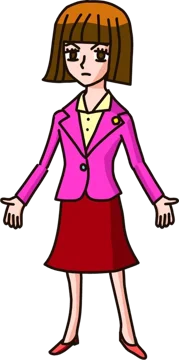 守先生
守先生 探偵さん
探偵さん エコマ
エコマ